Query Explorer connects your real search data to AI search, so you can see which of your keywords are most exposed to AI answers — and act before you lose the click.
A real result
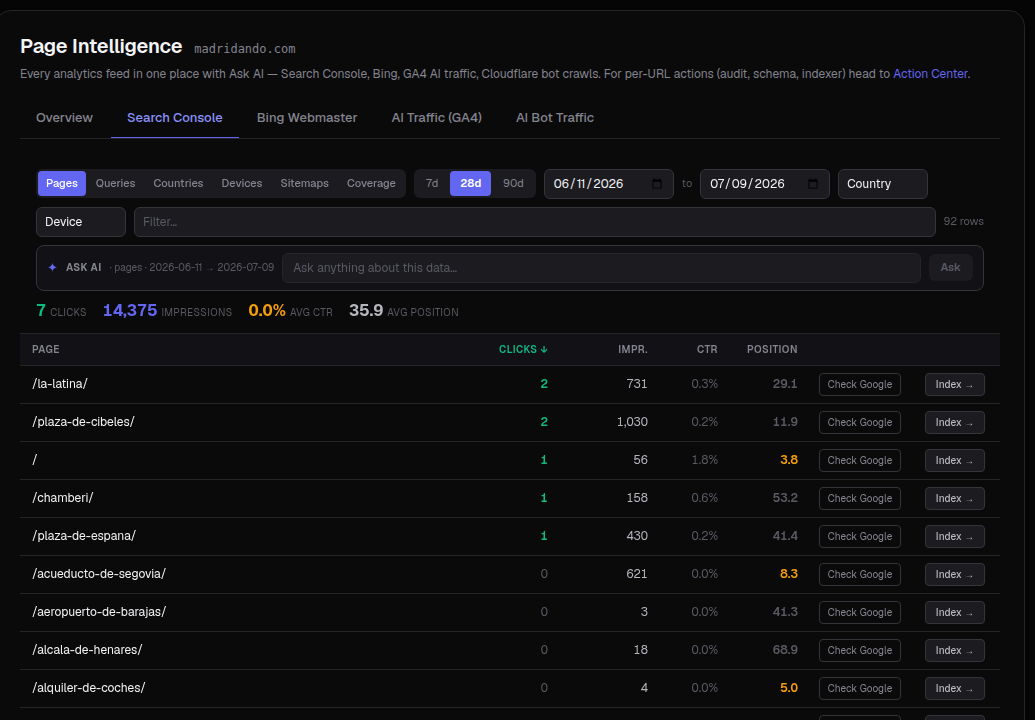
Query Explorer works from your connected Search Console data — here's what real, connected page-level search data looks like once it's flowing in:
What it does
When someone asks an AI engine a question, the engine quietly runs several related searches to build its answer. Query Explorer maps your existing ranking keywords against those AI queries, so you can see:
- Which of your keywords are already feeding AI answers.
- Where AI is likely to intercept clicks you used to win.
- The specific questions behind each topic that you should be answering.
How to use it
- Connect your search data under Analytics ▸ Integrations.
- Open Analytics ▸ Query Explorer for your brand.
- Review the keywords most exposed to AI answers.
- Send the highest-priority topics to Content to build or update pages that answer them.
Tip: Prioritize keywords where you rank today but AI is taking over the answer — that's where you have the most to protect.